Why I Switched to Warp as My Developer Terminal (2026)
I wasn’t actively looking for a new terminal. The terminal isn’t something most developers spend much time thinking about — you install something once and it becomes invisible infrastructure.
What made me look at Warp was a specific frustration with running Claude Code. Once I started using it day to day, the terminal stopped being invisible.
The Problem With Running Claude Code From VS Code
When you run Claude Code from the CLI, you need a terminal visible alongside whatever you’re working in. The two ways I tried to handle that in VS Code both had problems.
The built-in terminal splits the IDE view. You’ve got your editor at the top and the terminal pane at the bottom, and every time Claude Code outputs something you’re either squinting at a half-height editor or you’ve resized things into an awkward layout. It works, but the IDE starts to feel cramped.
The alternative is running Claude Code in a separate window — a standalone terminal alongside VS Code. That solves the layout problem but creates a different one: now you’ve got a second window to manage, Alt-Tab into, keep track of on the taskbar. Every time you want to check what Claude Code is doing you’re switching context. The flow breaks constantly.
Neither option felt clean. Both required some amount of rearranging your mental model around the terminal, rather than the terminal just getting out of the way.
What Warp Actually Fixes: The Spotlight Modal
Warp has a feature called the spotlight modal. You set a keybind — mine is a single key combination — and a floating terminal window appears on top of whatever you’re working in. Same keybind again and it disappears. No window management, no layout shifting, no losing focus on your editor.
It sounds like a small thing. In practice it changes the rhythm of working with Claude Code significantly. The terminal is there when you need it and gone when you don’t. Your IDE layout never changes. You’re not managing two windows.
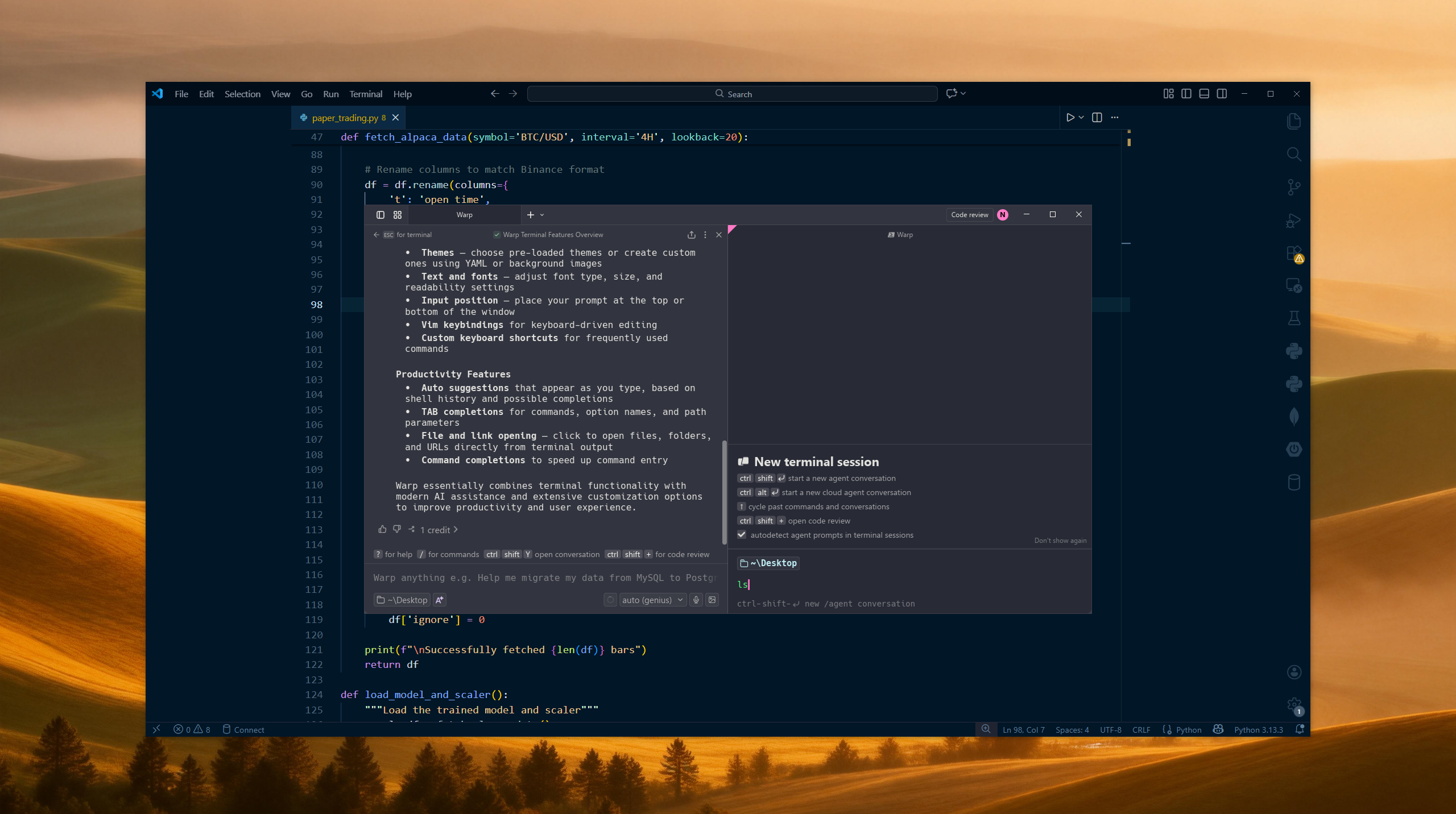
This was the specific reason I started using Warp, and it’s still the feature I reach for most.
Block-Based Output
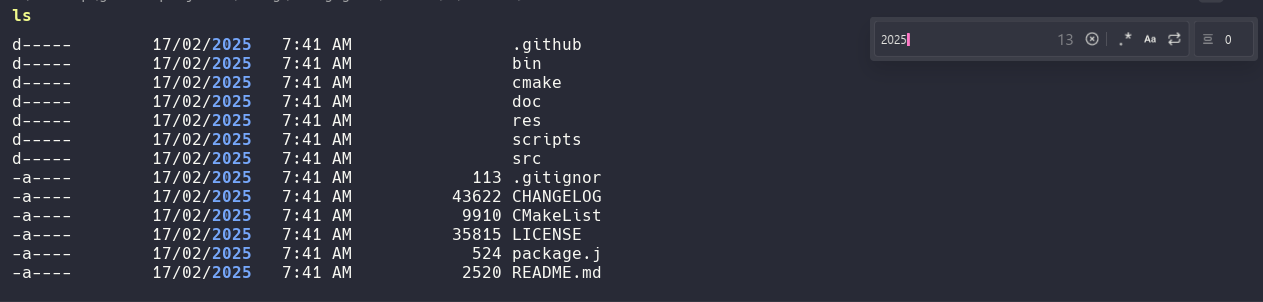
The other thing that’s genuinely useful once you start working with it is Warp’s block-based output. Each command you run produces a self-contained block — the command and its output are grouped together rather than being a continuous scroll of text.
This matters more than it sounds when you’re trying to debug the output of a command. Long outputs are easier to scan because each command is clearly separated. You can also filter blocks by a search string and this isn’t just highlighting matches, it actually hides lines that don’t match. If you type “error” you only see blocks containing that string. Useful when you’re trying to find something specific in a long session without scrolling through everything manually.
Warp’s AI Mode for Quick Fixes
I don’t use this heavily but it earns its place. When a command errors out and the fix is obvious — wrong syntax, forgotten flag, a path that doesn’t exist — I’d rather ask in plain language in the terminal than context-switch to Claude Code for something minor.
Warp’s agent mode is right there. You describe what you were trying to do and it suggests the corrected command. It’s faster than Googling the flag, and it keeps small problems from breaking flow. I’m not using it for anything complex, just the genuinely quick stuff where jumping to a full AI coding session would be overkill.
Command History
Not a headline feature but worth mentioning. Warp’s command history search is noticeably better than hitting the up arrow repeatedly through a standard terminal. You can search across past commands, which if you run a lot of project-specific commands across different sessions actually saves real time.
Who This Is Actually For
If your terminal workflow is already working cleanly — you’ve got a setup you’re happy with and it doesn’t create friction alongside your editor — Warp probably isn’t going to change much for you.
If you’re using Claude Code or another agentic tool from the CLI and you’re managing the terminal situation with a split IDE view or a floating second window, the spotlight modal alone is worth trying. It solves a specific and annoying problem in a way that feels obvious in hindsight.
I cover the full picture of how Claude Code and Warp fit into my broader developer AI setup in my LLM tools breakdown for 2026.